> For the complete documentation index, see [llms.txt](https://docs.bet2invest.com/llms.txt). Markdown versions of documentation pages are available by appending `.md` to page URLs; this page is available as [Markdown](https://docs.bet2invest.com/experts/how-to-analyze-pinnacle-odds-on-event-markets.md).
# How to Analyze Pinnacle Odds on Event Markets
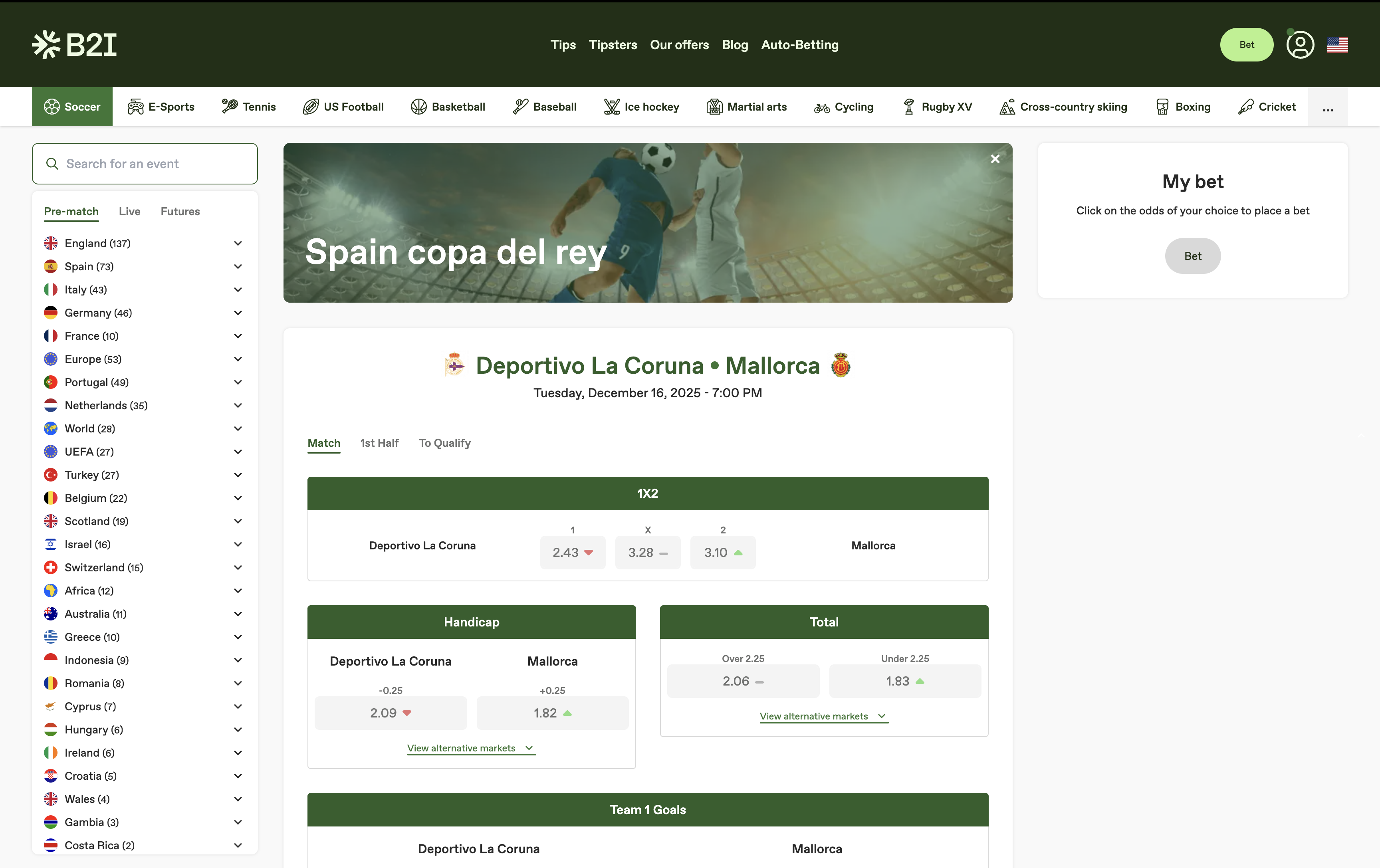
On Bet2Invest, each event (match) comes with bookmaker-like market blocks (1X2, handicap, totals, props…) enriched with **Pinnacle odds history** and analysis layers.
This page explains how to read:
* **Odds evolution** (opening → closing)
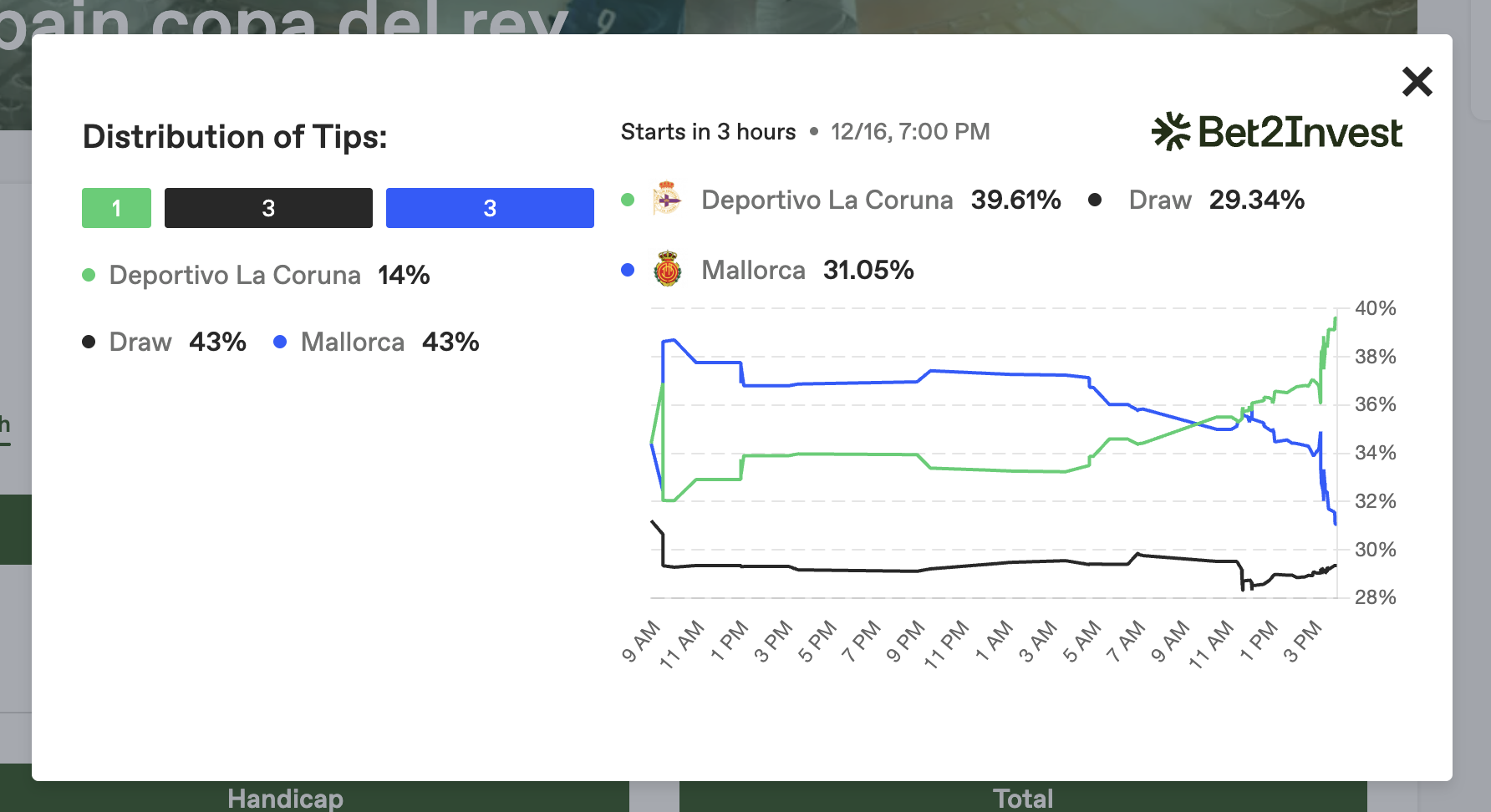
* **Implied probabilities** over time
* **B2I tip distribution** on the selected market
***
### Analyze odds evolution (opening → closing)
For each selection, Bet2Invest shows a small **movement indicator** (the up/down evolution arrow).
#### What to do
1. Find the market you want (e.g., **1X2**, **Handicap**, **Total**).
2. Look at the **arrow** next to the odds:
* an **up** move typically means the price increased (implied probability decreased)
* a **down** move typically means the price decreased (implied probability increased)
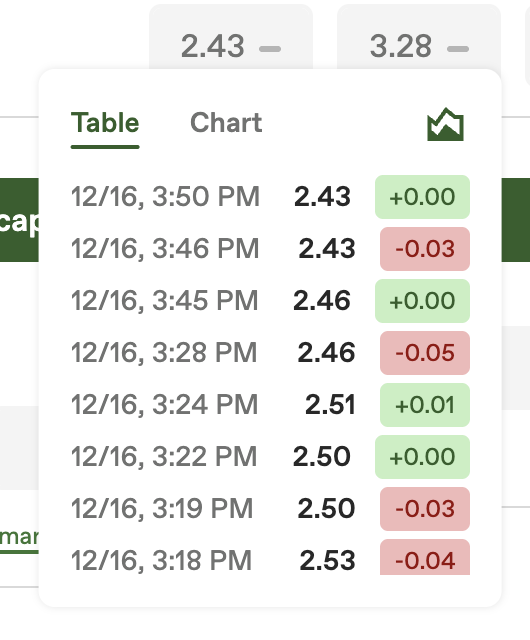
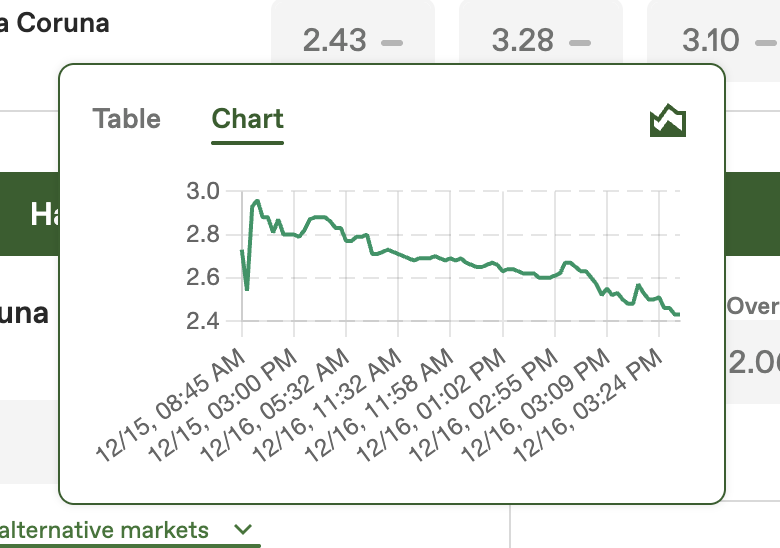
3. **Hover** the arrow to open the odds evolution details.
Depending on the market, you can view the evolution in:
* a **table** (discrete snapshots), and/or
* a **chart** (visual timeline)
***
### View implied probabilities (and how they change)
Bet2Invest can show the **implied probabilities** behind Pinnacle odds.
To open the implied probability view, you need to click on the little "chart icon" on the odds evolution popup.
#### What to look for
* how much the probability moved from open → close
* whether movements are **smooth** or **sudden** (often linked to news or liquidity moments)
* whether multiple outcomes shift logically (e.g., if Team A probability rises, Team B typically drops)
{% hint style="warning" %}
Implied probabilities are derived from odds. They are not “true probabilities”, but they are a strong proxy for how the market is pricing the event.
{% endhint %}
***
### Compare with B2I tip distribution on the same market
For the market you are viewing, you can also see the **B2I tip distribution**: an aggregated view of what the Bet2Invest community is picking on that selection.
#### How to use it
* Identify whether the crowd is heavily concentrated on one side
* Compare crowd bias vs **line movement**
* Use it as an extra signal (never as a guarantee)
{% hint style="success" %}
The best insight comes from combining:
* sharp odds history (Pinnacle)
* implied probabilities
* and how tipsters are positioned
This helps you think in terms of **pricing** and **expected value**, not only “predictions”.
{% endhint %}
***
### Turn analysis into a measurable strategy
Market reading becomes much more valuable when you track your decisions.
* Place tips into a bankroll and evaluate them with **CLV/CLEV** over time.
* Learn how to judge long-term results with variance in mind.
Recommended reading:
* [Why CLV & CLEV Matter](/bankrolls/why-clv-and-clev-matter.md)
* [How to Analyse Bankrolls?](/follow-experts/how-to-analyse-bankrolls.md)
* [How to Place Tips on Bet2Invest](/experts/how-to-place-tips-on-bet2invest.md)