> For the complete documentation index, see [llms.txt](https://docs.bet2invest.com/llms.txt). Markdown versions of documentation pages are available by appending `.md` to page URLs; this page is available as [Markdown](https://docs.bet2invest.com/follow-experts/how-do-i-receive-the-tips.md).
# How do I receive the tips?
When you follow an Expert, Bet2Invest sends you each new tip as a **notification**.
You can receive tips through two channels:
* **Telegram** (recommended)
* **Email**
Both channels carry the **same information** (event, market, odds, unit, etc.). The main differences are **speed** and **limits**.
***
### Notification channels
#### Telegram (recommended)
Telegram is the **best way** to receive tips:
* **Instant** delivery – tips usually arrive in your Telegram app as soon as the Expert posts them.
* Works on **mobile and desktop**.
* Easier to manage than a full inbox of emails.
On Telegram, Bet2Invest sends you a message with the key details of each tip so you can place the bet.
#### Email
If you prefer, you can also receive tips by **email**:
* Each new tip triggers an email with the same information as on the platform.
* Useful if you regularly check email but don’t want to install Telegram.
Email is slightly **slower and less convenient** than Telegram, especially if your mailbox is busy or filters are strict.
***
### Free vs Premium limits
Bet2Invest applies different limits depending on your plan and the type of expert you follow.
* **For PRO Experts**
* **Unlimited email notifications**, even on the free plan.
* **Unlimited Telegram notifications**, even on the free plan.
* **For other experts (non‑PRO)**
* **Free users**
* Up to **30 email notifications** in total.
* Up to **70 Telegram notifications** in total.
* **Premium users**
* **Unlimited** email notifications.
* **Unlimited** Telegram notifications.
{% hint style="info" %}
You always have **unlimited notifications for PRO Experts** you follow, even if you are not Premium. The free limits only apply to notifications coming from **non‑PRO experts**. Upgrading to Premium removes these limits and gives you unlimited notifications for **all** experts.
{% endhint %}
***
### How to configure Telegram notifications
You can configure Telegram in the **“My Account”** section of Bet2Invest.
Follow these steps:
{% stepper %}
{% step %}
### Open "My Account"
Log into your Bet2Invest account and open **My Account** from your profile menu.
{% endstep %}
{% step %}
### Go to Notifications / Telegram section
In **My Account**, open the **Notifications** (or similar) section where you manage email and Telegram alerts.
{% endstep %}
{% step %}
### Connect your Telegram account
You will see an option to **connect Telegram**.
Typical flow:
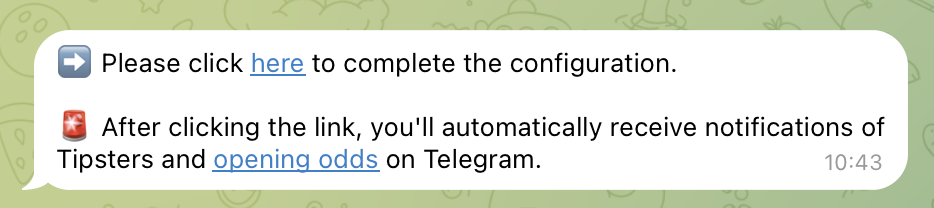
1. Click the "**Link To Telegram**" button.
2. A **Telegram bot** will open (in your app or browser).
3. Press **Start** in Telegram to authorize notifications.
4. Finally, click "**Here**" to return to Bet2Invest and confirm the procedure.
Once this is done, your Telegram account is linked to your Bet2Invest profile.
{% endstep %}
{% endstepper %}
***
### Summary
* You can receive tips by **Telegram** or **email**.
* **Telegram** is recommended because it’s **instant** and easier to manage.
* Notifications for **PRO Experts are always unlimited**, even on the free plan.
* For non‑PRO experts, free users have **30 email** and **70 Telegram** notifications in total; **Premium** users have **unlimited** for all experts.
* All notification settings (email + Telegram) are managed in **My Account → Notifications**, where you can also connect your Telegram account.