> For the complete documentation index, see [llms.txt](https://docs.bet2invest.com/llms.txt). Markdown versions of documentation pages are available by appending `.md` to page URLs; this page is available as [Markdown](https://docs.bet2invest.com/auto-betting/how-to-set-up-auto-betting.md).
# How to Set Up Auto-betting
This guide walks you through enabling auto-betting end-to-end: connecting Pinnacle, configuring your execution rules, and running a safe first test.
Before starting, make sure you’ve read:
* [What is Auto-betting?](/auto-betting/what-is-auto-betting.md)
* [Auto-betting Requirements & Limits](/auto-betting/auto-betting-requirements-and-limits.md)
***
### Prerequisites
To use auto-betting, you need:
* A **Pinnacle account**
* A **fee balance** on Bet2Invest (used only to pay auto-betting fees)
* At least one **Expert to follow**, with auto-betting enabled for them
***
{% stepper %}
{% step %}
### Open the Auto-betting section
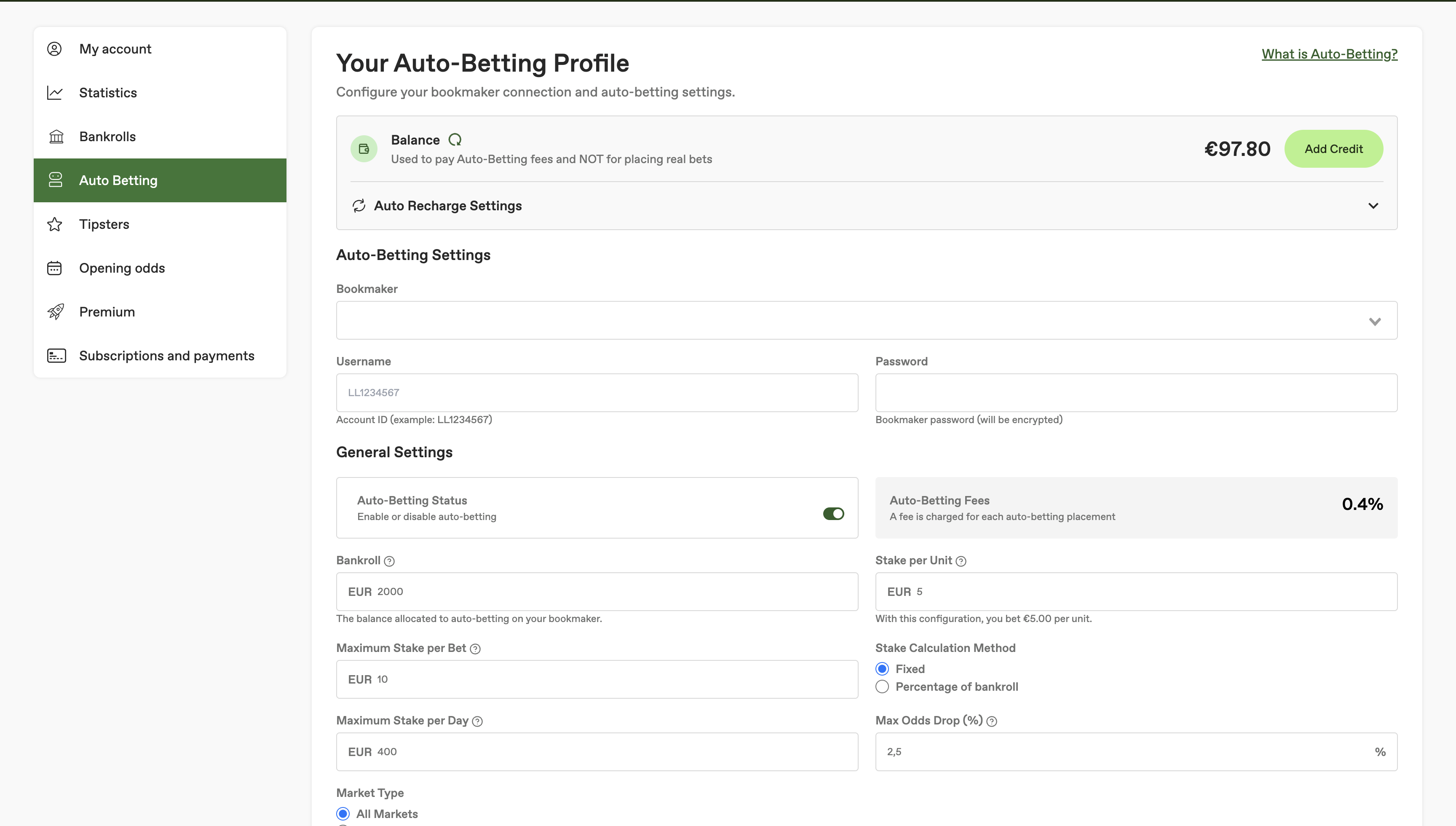
Go to the **Auto-betting** area of Bet2Invest.
What you should see:
* your auto-betting dashboard (status)
* your auto-betting balance (to pay the fees)
* the bookmaker connection settings
* your auto-betting profile settings
* your performance tracking
* your followed Experts
* the bets history
Screenshot: Auto-betting dashboard
{% endstep %}
{% step %}
### Connect your Pinnacle account
Enable the Pinnacle connection by entering your Pinnacle identifiers.
Security note:
* Your credentials are encrypted using **AES‑256** with an **IV**.
* In simple terms, this means your identifiers are stored as unreadable data, and are not accessible as plain text.
If you want to understand the execution path, see [How Auto-betting Works](/auto-betting/how-auto-betting-works.md).
Screenshot: Connect Pinnacle
{% endstep %}
{% step %}
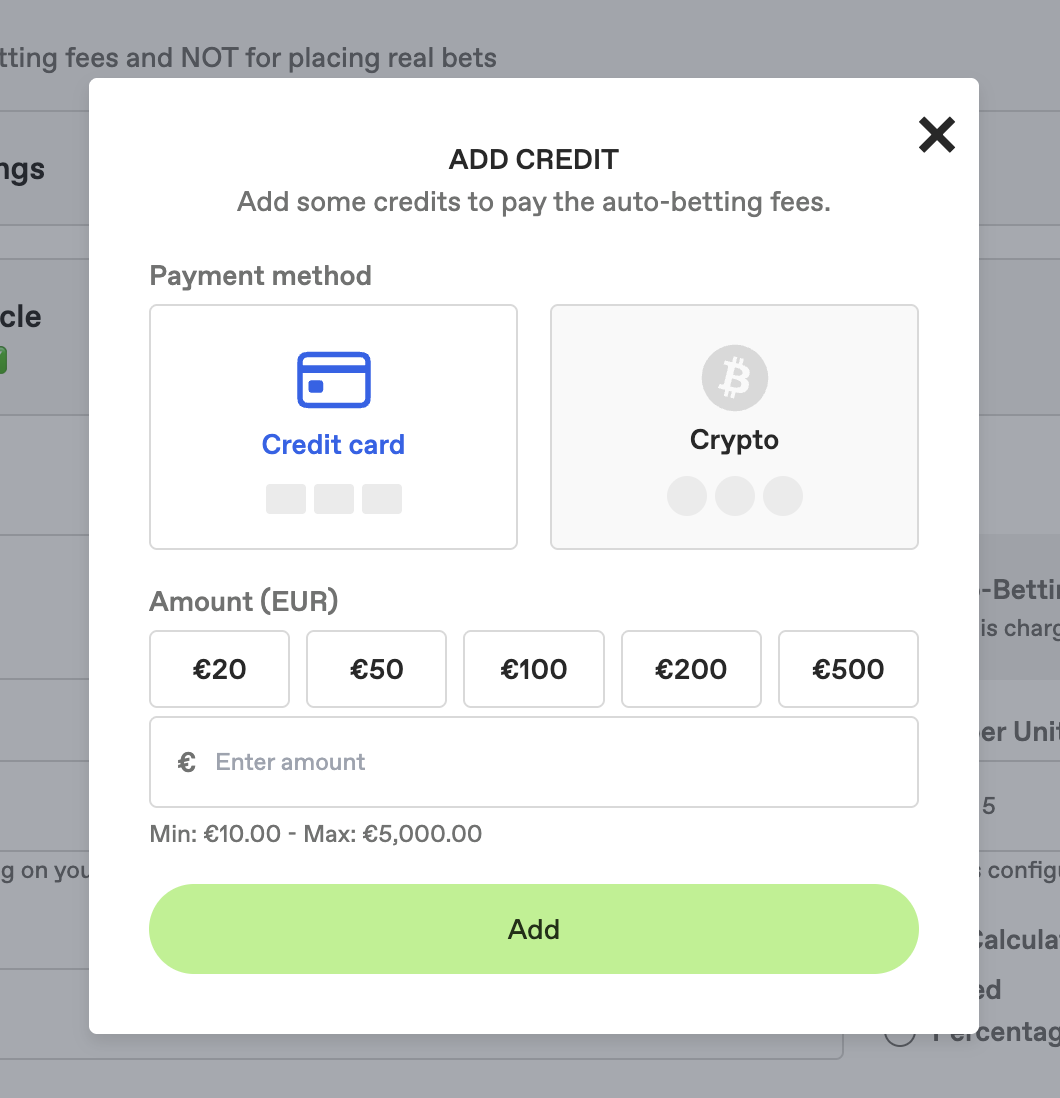
### Add balance for auto-betting fees
Auto-betting fees are charged from your Bet2Invest balance (not your Pinnacle balance).
* You can deposit by **crypto** or **credit card**.
* There is a **30% bonus** on deposit (up to **€300** bonus).
You **need** to deposit before enabling your auto-betting profile. If you try to setup your auto-betting profile before depositing, you'll not be able to activate it.
The recommended deposit amount depends on your monthly volume. There is no need to deposit excessively.
{% hint style="warning" %}
Bet2Invest does **not** hold your betting bankroll. Your betting funds must remain on **Pinnacle**. Deposits on Bet2Invest are **only** used to pay auto-betting fees.
{% endhint %}
Screenshot: Add fee balance
{% endstep %}
{% step %}
### Configure your auto recharge settings
If your Bet2Invest fee balance reaches **0**, auto-betting can be **disabled** until you add balance again (because fees can’t be covered).
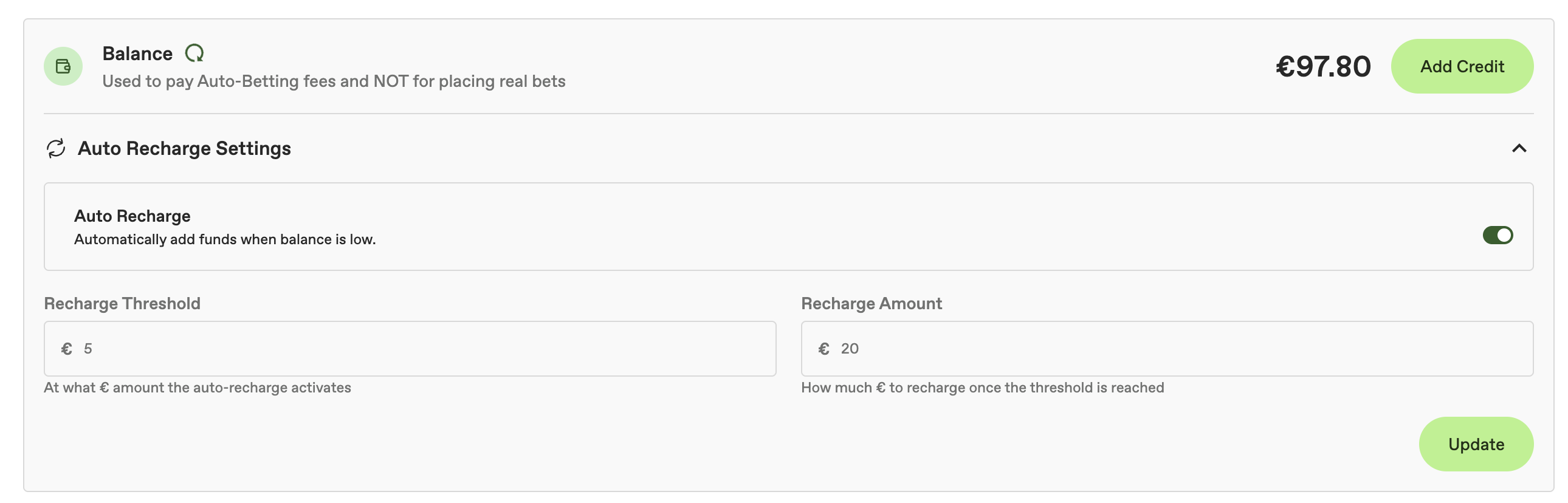
To avoid interruptions, you can enable **Auto Recharge** so your fee balance is automatically topped up.
With auto recharge enabled, you choose:
* a **recharge threshold** — the balance level that triggers a recharge
* a **recharge amount** — how much to add when the threshold is reached
{% hint style="success" %}
Auto recharge is the simplest way to ensure your auto-betting **never stops** because you ran out of fee balance.
{% endhint %}
{% hint style="info" %}
Auto recharge affects only your **Bet2Invest fee balance** (used to pay auto-betting fees). It does not change your Pinnacle bankroll.
{% endhint %}
Screenshot: Auto recharge settings
{% endstep %}
{% step %}
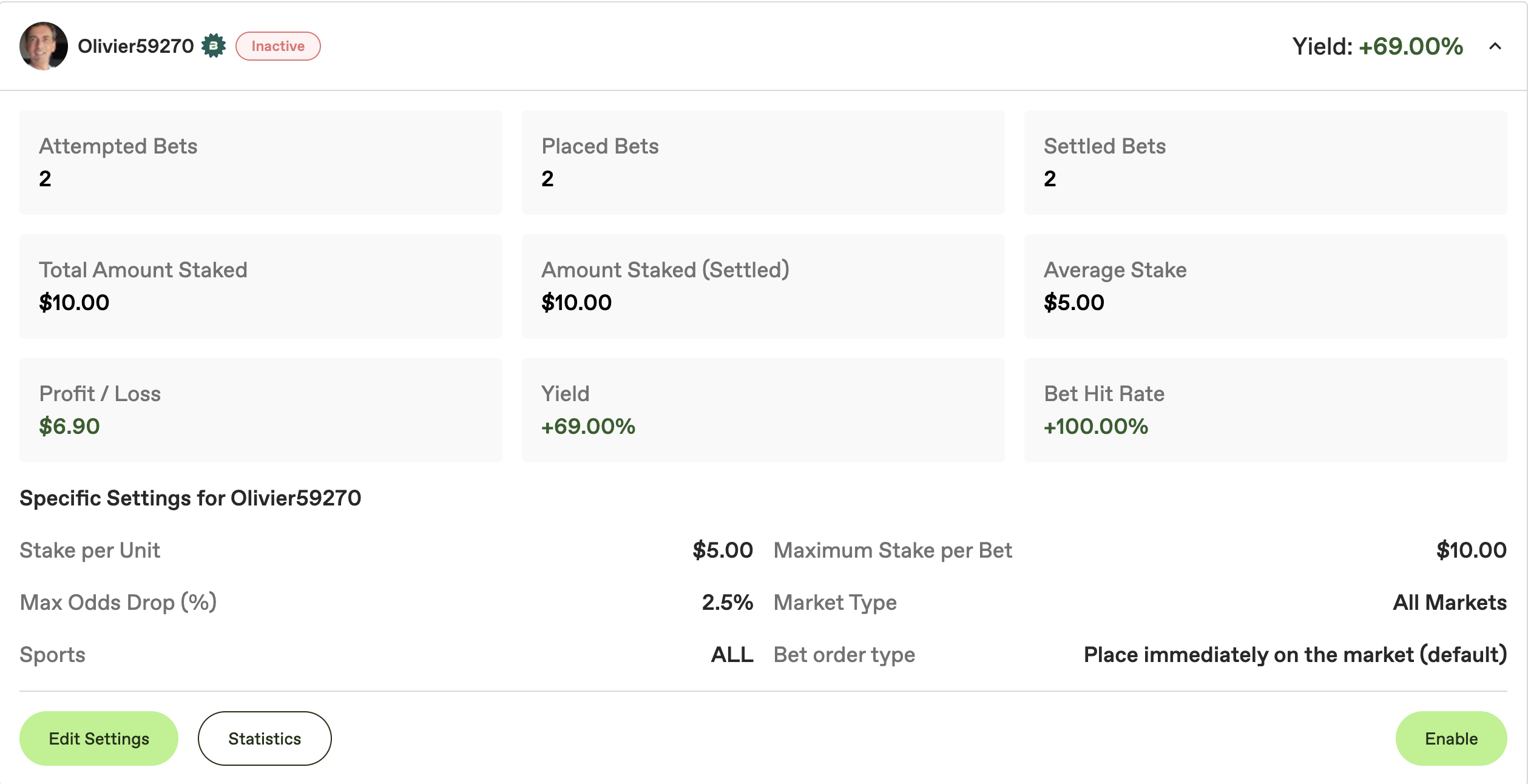
### Follow an Expert and enable auto-betting for them
Auto-betting is configured **per Expert**.
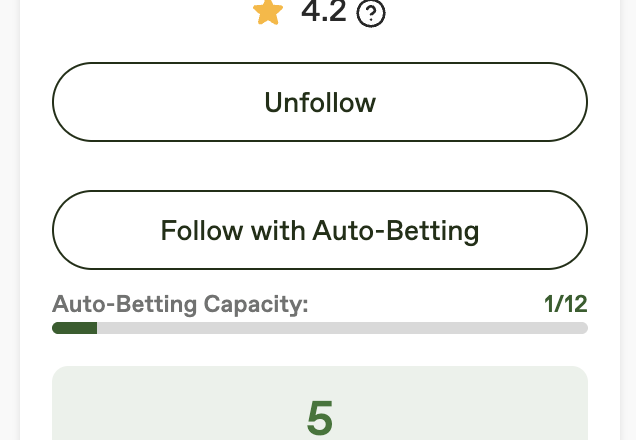
1. Follow or subscribe to the Expert you want.
2. Enable **Auto-betting** for that Expert.
3. Change the "per-tipster" configuration based on your strategy.
Screenshot: Enable auto-betting per Expert
{% endstep %}
{% step %}
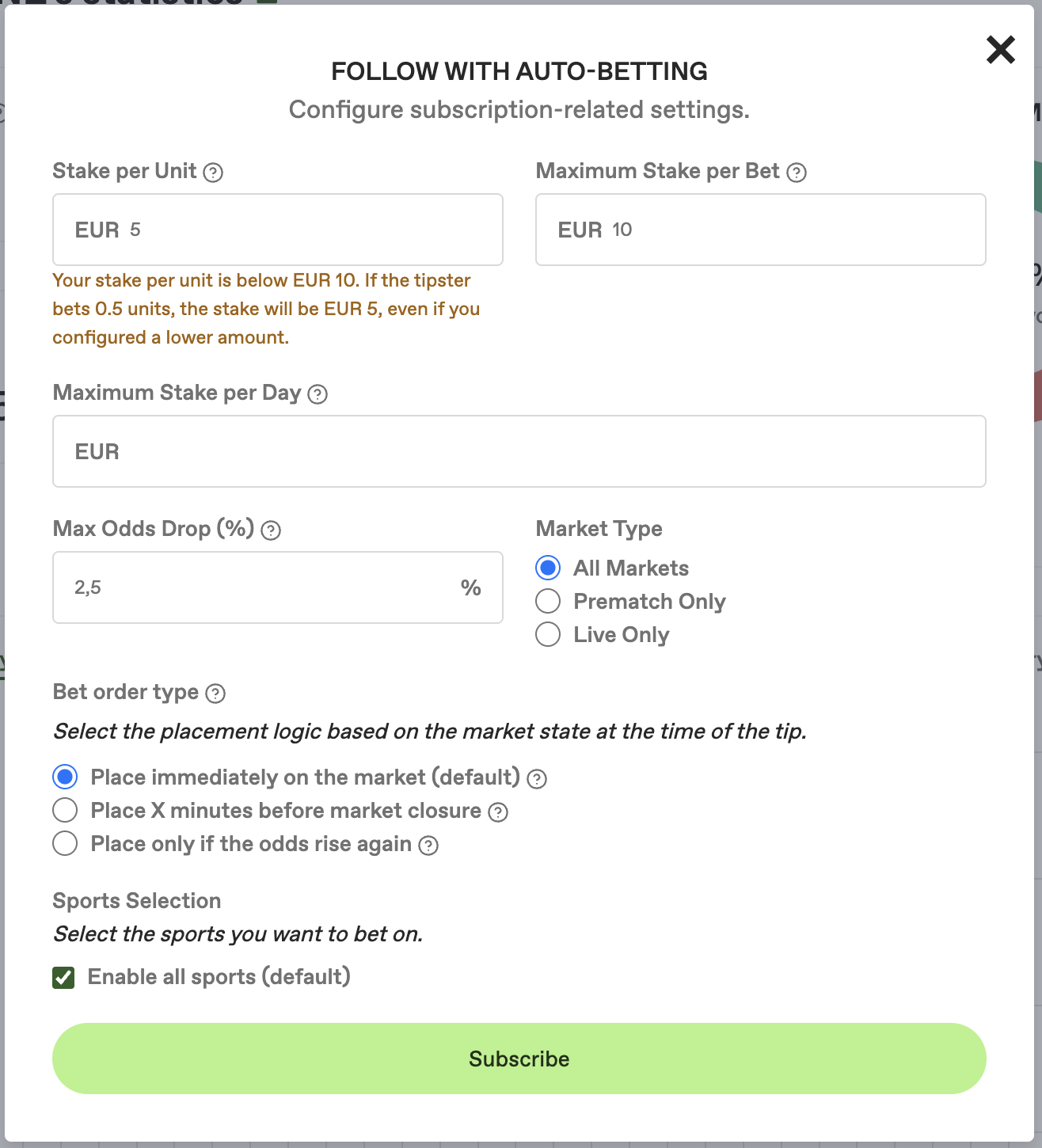
### Configure your strategy for this Expert
This is the most important step.
Recommended baseline settings:
* **Stake per unit**: define how much 1 unit is worth for you (in your currency)
* **Max stake per unit**: hard cap (safety)
* **Max stake per day per tipster**: avoids runaway exposure
* **Max odds drop (%)**: protects against copying after a big move
* **Sports filter**: start with sports you understand
Then choose an **order type**:
* **Market (instant)** — best replication, but may face more slippage on fast markets
* **X minutes before market closure** — execution is delayed (X configurable)
* **Only if price rises again after drop** — avoids chasing bad price, but may miss bets
{% hint style="info" %}
Auto-betting is highly configurable. If settings are too strict, you may miss many tips. If settings are too loose, you may copy at bad prices.
If you want advice tailored to your bankroll and risk tolerance, you can reach out to us.
{% endhint %}
Screenshot: Strategy settings
{% endstep %}
{% step %}
### Iterate safely (don’t over-optimize)
After 20–50 executions, review:
* acceptance vs rejection rate
* average odds drop
* whether the Expert’s markets match your filters
Then adjust slowly:
* widen odds drop slightly if you miss too many bets
* tighten daily caps if exposure feels too high
* consider switching from live to prematch if too many markets are suspended
For broader discipline guidance, read [Best Practices for Auto-betting](/auto-betting/best-practices-for-auto-betting.md).
{% endstep %}
{% endstepper %}